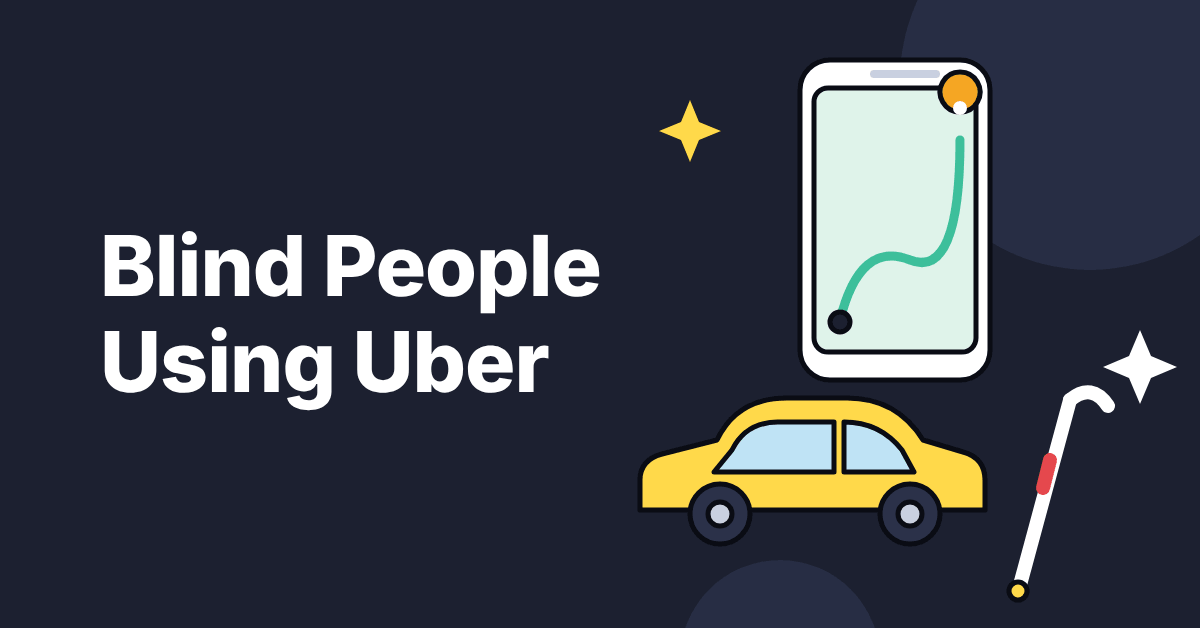
How do blind people use Uber? They book in the app with a screen reader, track the car on the map, call the driver to say exactly where they are standing, and check the plate and OTP before getting in.
Booking is the easy part. Finding the car and reaching the right entrance are where rides go wrong.
This guide explains how blind people use Uber step by step, from booking to drop-off, with the safety checks and what to do if a driver refuses a ride.
I am blind, and I use Uber for almost all my rides in India.
Can a Blind Person Use Uber?
Yes. Uber says its apps are compatible with VoiceOver on iOS and TalkBack on Android (Uber, May 2024). You can book, track and pay without sighted help.
Are There Accessibility Settings in the Uber App?
Uber’s accessibility pages describe screen reader compatibility, not a separate setting for blind riders. Turn on VoiceOver on iPhone or TalkBack on Android and the app works with it. For iPhone basics, see 12 VoiceOver tips.
Uber Malaysia also lists support for wireless braille displays (Uber Malaysia). If something in the app does not read properly, you can report your screen reader experience through Uber’s help centre.
How Do Blind People Use Uber to Book a Ride?
Book with VoiceOver or TalkBack on, the same way you would for any ride. The app then matches you with a nearby driver automatically (Uber Malaysia).
Which Ride Type Should You Choose?
In India the app offers cars such as Uber Go and Premier, Uber Auto for auto rickshaws and Uber Moto for bikes. You book all three in the same app, so the booking steps do not change.
The pickup and drop-off habits in this guide apply to all three.
How Do You Pay Without Cash?
Pay by UPI or card in the app, so there is no cash to count and no change to check. For the UPI side, see how blind users pay with UPI.
How Do You Track the Ride?
The app shows trip progress with real-time GPS tracking (Uber Malaysia). The driver’s name and the car’s plate are in the ride details. For the apps that help you on the way to and from the pickup spot, see navigation and travel apps for the blind and the best apps for blind and visually impaired people.
How Do You Find the Car at Pickup?
Pickup is where a blind rider needs a plan. Wait at the spot you set and let the app tell you what is happening.
What Does the App Tell You as the Car Arrives?
Uber drivers come to the exact spot where you are standing. The app tells you how many metres away the driver is, and VoiceOver reads a banner when the driver has arrived.
| Stage | What the app tells you | What you do |
|---|---|---|
| Car approaching | The distance in metres to your spot | Stay where you set the pickup |
| Car arrived | A banner that VoiceOver reads out, saying the driver has arrived | Check the plate and the OTP before you get in |
| Driver cannot find you | The driver is nearby but not at your spot | Call the driver and say where you stand |
What if the Driver Cannot Find You?
If the area is crowded or messy, call the driver and say where you are standing. Describe your white cane and the colour of your clothes so the driver can spot you.
Pro tip: call the driver early, before the car arrives, so there is no search at the kerb.
What if the Driver Cancels?
Rebook straight away in the app, which matches you with another nearby driver.
How Do You Get Dropped at the Right Place?
A wrong drop point is a common problem for blind riders.
Why Does the Drop Point Go Wrong?
The drop point is a location on the map, and it may not match the entrance you need. A driver who stops on the road leaves you to find the entrance alone.
What Should You Tell the Driver?
Tell the driver the exact entrance before the ride ends, so the car stops there and not at the nearest point on the road.
What Does a Clear Instruction Sound Like?
Name the gate or door, not only the building, because a building name alone can mean several entrances. For example, say “Please stop at the main gate, not on the road.”
If the ride ends at an airport, see how blind people navigate airports for the path from the kerb to the gate.
How Do Blind Riders Stay Safe in an Uber?
Four habits cover most of it:
- Share your trip. Uber India says riders can set Share My Trip to switch on automatically through Safety Preferences (Uber India, November 2024).
- Find the safety tools before you need them. The same announcement lists audio recording and SOS integration, which was live in Telangana at the time. Learn where the emergency button is in your version of the app.
- Add a profile photo with your cane. It helps the driver recognise you (Mississippi State University blind services).
- Ask “Who are you here for?” A driver who is picking you up will give your name.
What Are Your Rights if a Driver Refuses You?
Refusals mostly affect riders with guide dogs, and the published rules are from the United States. This section is based on published policy, not personal experience.
In the United States
Uber’s service animal policy says drivers using the Uber Driver app cannot refuse a rider because of a service animal. Drivers who discriminate lose access to the app, and a cancellation fee charged because of a denial is refunded after you report it (Uber service animal user guide).
Report a refusal in the app under Menu, Help, Accessibility. A 2016 settlement with the National Federation of the Blind also requires Uber to remove drivers after complaints (NFB).
In India
No published Uber India guide dog policy was found. If a driver refuses or cancels because of your cane or a dog, report it through Help in the app and keep the trip details.
Frequently Asked Questions
Can a blind person use Uber without help?
Yes. The Uber app works with VoiceOver and TalkBack, so a blind rider can book, track and pay alone. The step that needs the most planning is finding the car at pickup.
Does the Uber app work with VoiceOver and TalkBack?
Yes. Uber says its apps are compatible with VoiceOver on iOS and TalkBack on Android. Uber Malaysia also lists support for wireless braille displays. If something does not read properly, report it through Uber’s help centre.
What should I do if the Uber driver cannot find me?
Call the driver and say where you are standing. Describe your white cane and the colour of your clothes so the driver can spot you. Calling before the car arrives saves time.
Is Uber safe for a blind rider?
Uber has safety tools, and a few habits add to them. Share your trip, learn where the emergency button is, and ask the driver who they are here for. Uber India lists audio recording and SOS integration, though SOS was live only in Telangana at the time of its November 2024 announcement.
Can a driver refuse a blind rider with a guide dog?
Under Uber’s US policy, drivers cannot refuse a rider because of a service animal, and those who do lose access to the app. Uber refunds a cancellation fee charged because of a denial once you report it. No published Uber India policy was found, so report any refusal through Help in the app.
Sources
- Uber: Global Accessibility Awareness Day (May 2024)
- Uber Malaysia: partnership with the National Council for the Blind, Malaysia
- Uber India: new features to elevate safety (November 2024)
- Uber: service animal user guide
- National Federation of the Blind: settlement on guide dog riders (2016)
- Mississippi State University: ride hailing services, a few things you may not know (2025)
Last reviewed October 2026. Uber features and policies change and differ by country and app version. This article is general information, not legal advice, so check the Help section of the app before you rely on a feature.